


College Enrollment, Persistence, and Graduation Dashboard
To export data from a chart or table, select the object, click the menu icon in the upper right corner (three dots), and choose Export to Excel. 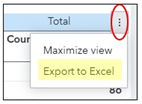
See related links. To learn more about navigating reports by keyboard, visit our Keyboard Navigation page. View Data